 ReplyKit
Type a shortcut. Send the whole reply.
ReplyKit is a Chrome extension for anyone who sends the same messages every day. Save your replies once,
then type a shortcut like ;pricing in any email, ticket or chat box and the whole message appears.
Free for up to 10 replies. No account needed.
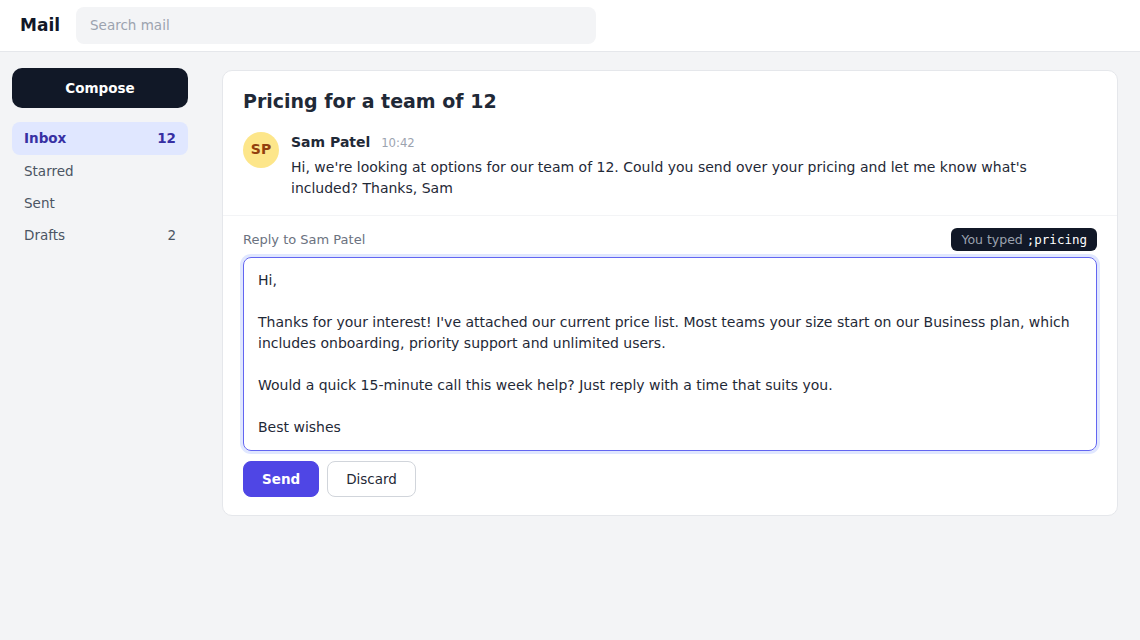
For anyone who types the same thing twice
Support teams, sales, recruiters, office managers and freelancers all send the same messages dozens of times a day. ReplyKit was built by a service desk analyst who got tired of doing exactly that.
Works where you already type
Shortcuts expand in web-based email, help desks, CRMs and chat tools in Chrome. There's nothing new to learn.
Fill-in fields
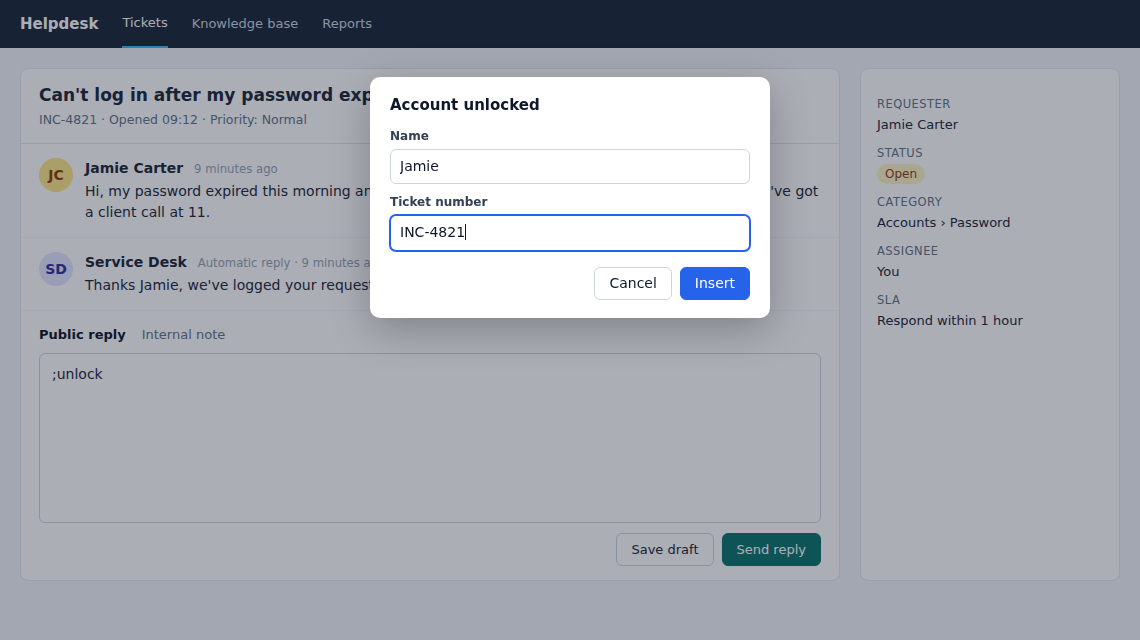
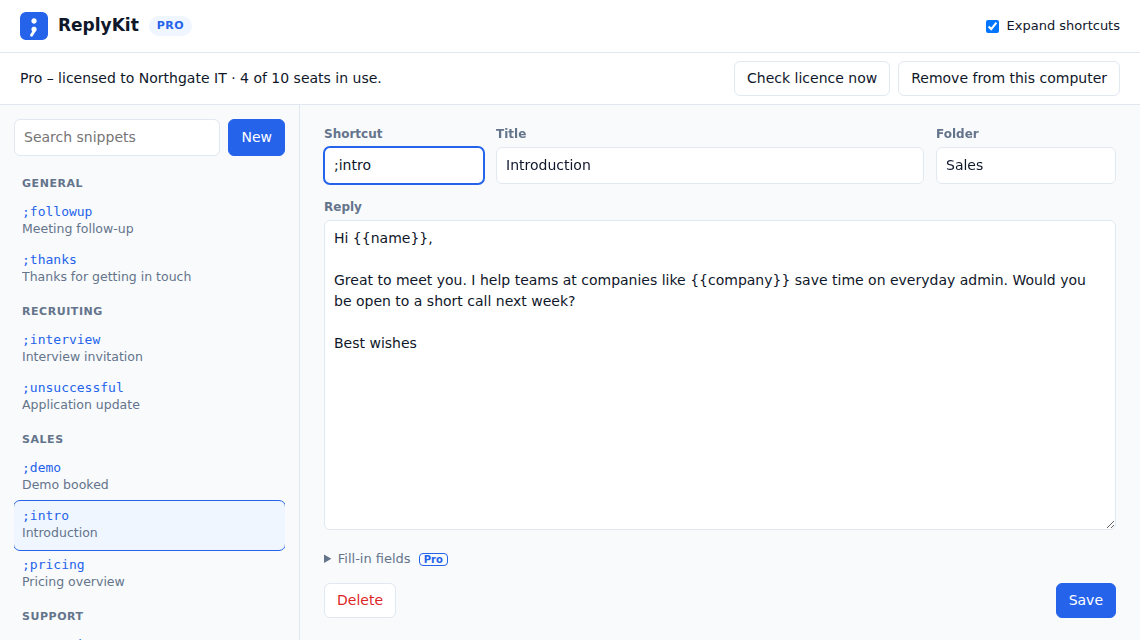
Add {{name}} or {{order number}} to a reply and you'll be asked for them as it expands. Date and time fill themselves in.
One set of replies for the team
Export your replies to a file and everyone on Pro imports the same set. Update it once and the whole team stays consistent.
Private by design
Your replies are stored only on your computer. ReplyKit only looks at what you've just typed, and never uploads your emails or messages.
Simple pricing
Start free. Upgrade when your team wants more.
Free
£0
for individuals
- Up to 10 saved replies
- Shortcuts in any text box
- Search and copy from the toolbar
- Back up and restore your replies
Pro
£5 / month
1 seat, for one person
- Unlimited replies
- Fill-in fields: name, ticket number, date, time
- Folders
- Import a shared set of replies
Team
£20 / month
5 seats – just £4 per person
- Everything in Pro, for each person
- One licence key for the whole team
- Share one set of replies across the team
- 10 seats: £40 / month
- More than 10? Email us
Prices include VAT where it applies. Cancel at any time. 14-day money-back guarantee.
Your data stays with you
- Your replies are stored in your browser on your computer. They're never uploaded, synced or shared.
- To spot a shortcut, the extension looks only at the few characters just before your cursor. It ignores password boxes.
- Pro licence keys are checked with our payment provider. Nothing else leaves your computer.
Questions
Where does it work?
It works in normal text boxes and rich-text editors on web pages in Chrome, which covers most web-based email, help desk, CRM and chat tools. If one doesn't work for you, email us and we'll look into it.
Where doesn't it work?
It only works on web pages in Chrome, so not in desktop apps such as the Outlook or Teams apps. It also can't work in a few web apps that draw their own text instead of using normal text boxes, most notably Google Docs, or on Chrome's own pages such as settings and the Chrome Web Store. In those places, click the toolbar icon and click a reply to copy it instead.
Our company blocks unapproved extensions. Can we still use it?
Ask your IT team to approve it. It only asks for the permissions it needs, never uploads your replies or anything you work on, and has a clear privacy policy you can share with them.
How do team licences work?
Buy a Team licence with a seat for each person. Everyone enters the same licence key. If someone leaves, they click "Remove from this computer" to free their seat for someone else.
Someone removed the extension and now we're out of seats
Removing the extension doesn't free its seat. Email us with the email address you bought with and we'll free it for you. To avoid it, click "Remove from this computer" in the extension before removing it.
How do I back up my replies?
Click Export in the snippet manager to save all your replies to a file, and Import to restore them. It's free on every plan. Keep a copy somewhere safe, because your replies are stored only in your browser.
What happens if I cancel Pro?
Pro keeps working until the end of the period you've paid for. After that you're back on the free plan. None of your replies are deleted, and the first 10 keep working.
Does it work offline?
Yes. Shortcuts work without an internet connection. Pro checks your licence twice a day and keeps working for 14 days if it can't connect.
Can I get a refund?
Yes. If you're not happy, email us within 14 days of paying and we'll refund you in full. See the refund policy.